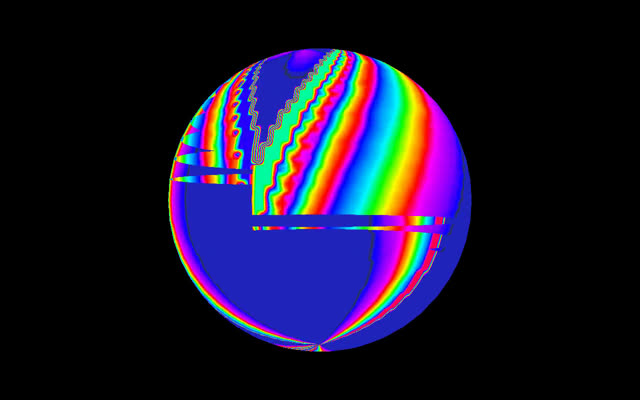
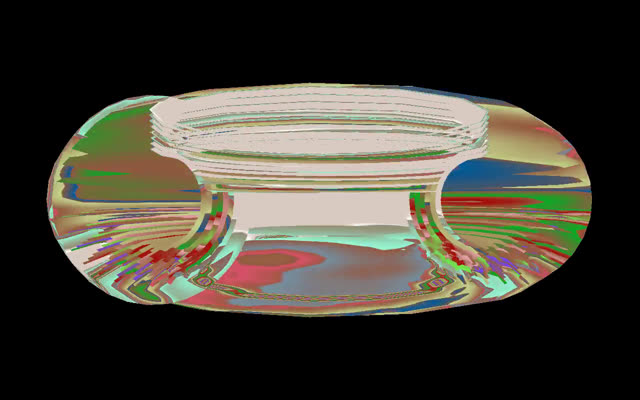
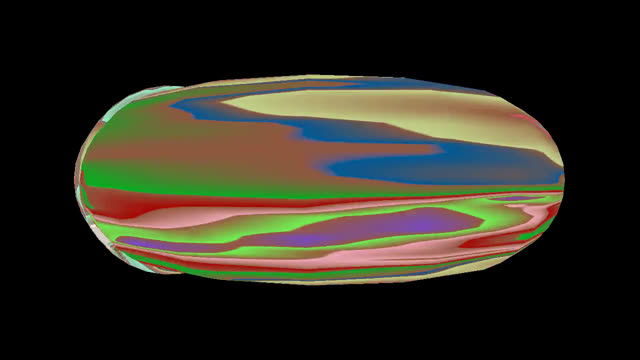
BEFORE
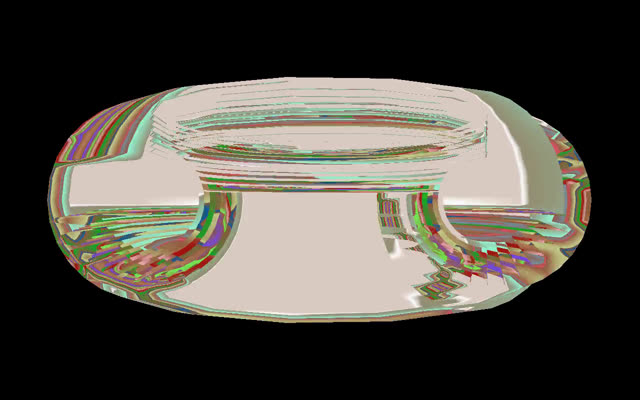
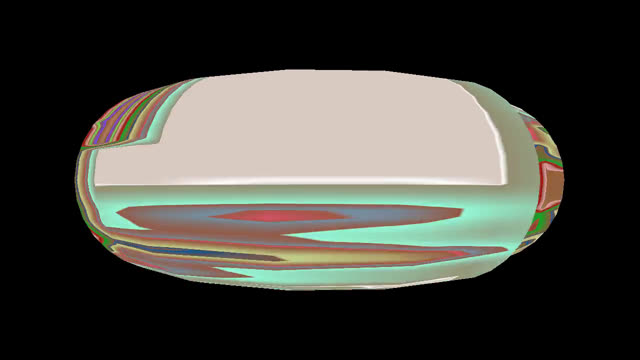
AFTER
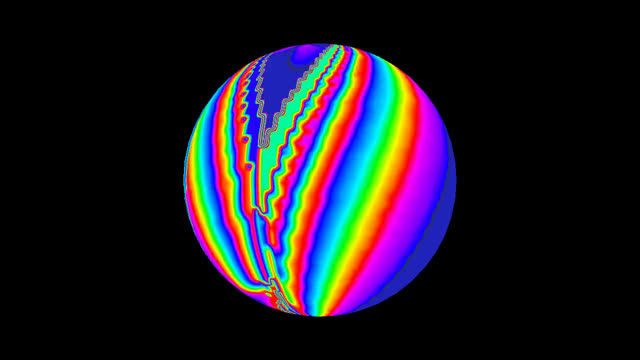
ShoggothOx can wrap its audio-reactive fire buffer around 3D geometry: planes, cylinders, spheres, cones, and a coiled near-ring torus (if that name is unfamiliar, we've written up what it actually is separately; for this post, just picture something torus-shaped). While reviewing a rendered music video, we noticed that the curved shapes looked wrong. The sphere had hard-edged rectangular patches stamped across it, slivers of unrelated texture cutting through the middle, and the ring looked like it had been sliced into onion layers. This post walks through how we tracked the bug down to a single missing line of GPU pipeline configuration, and how we verified the fix frame-by-frame against the original footage.
Extracting frames from the rendered video with
ffmpeg
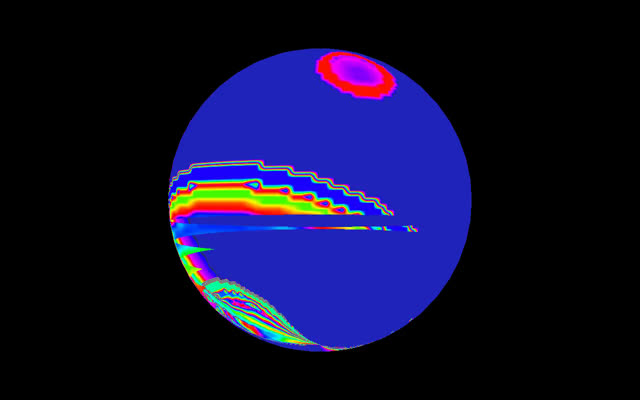
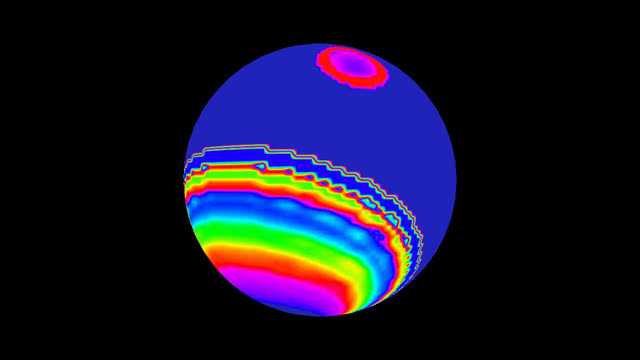
made the problem obvious. Around the 30-second mark, the sphere shows big
flat patches with perfectly straight edges — content that clearly
belongs to the far side of the sphere, drawn on top of the near
side:
The 3D pipeline is small: each display mode is a triangle mesh whose
vertices carry UV coordinates into the 160×100 indexed fire buffer.
A vertex shader applies the
model-view-projection matrix, and a fragment shader samples the
buffer, then looks the index up in a 256-entry palette texture. Nothing
exotic. But one line in the
wgpu pipeline descriptor stood out:
let pipeline =
    device.create_render_pipeline(
    &wgpu::RenderPipelineDescriptor {
        // ...
        primitive: wgpu::PrimitiveState {
            topology: wgpu::PrimitiveTopology::TriangleList,
            cull_mode: None,
            ..Default::default()
        },
        depth_stencil: None,   // <-- the bug
        // ...
    }
);
No depth buffer. Combined with
cull_mode: None, this means every triangle of the mesh is
rasterized — front side and back side — and the pixel
you end up seeing is simply whichever triangle happened to be drawn last in index-buffer order. Visibility becomes “last drawn
wins” instead of “closest wins.”
This also explains the peculiar shape of the artifacts. The sphere mesh is generated as horizontal bands of quads, from pole to pole, and the index buffer draws them in that fixed order. As the camera orbits, different bands end up on the far side — and any far-side band that comes later in the buffer than a near-side band paints straight over it. Fixed mesh order + moving camera = rectangular patches that jump around with the rotation.
The coiled ring (our torus-style mode) suffered most, and for an interesting reason: even back-face culling — the classic cheap trick for closed convex shapes — would not have saved it. A sphere is convex: cull the back faces and what remains is exactly what you should see. But a ring is not convex. Looking at it edge-on, the far side of the tube is front-facing (its outside points toward you) yet it should still be hidden behind the near side of the tube. Only a real depth test can sort that out.
The repair is textbook: allocate a Depth32Float texture the
same size as the render target, tell the pipeline to test and write depth,
and attach the depth view to the render pass, cleared to the far plane
every frame.
// Pipeline: closest fragment wins
depth_stencil: Some(wgpu::DepthStencilState {
    format: wgpu::TextureFormat::Depth32Float,
    depth_write_enabled: true,
    depth_compare: wgpu::CompareFunction::Less,
    stencil: wgpu::StencilState::default(),
    bias: wgpu::DepthBiasState::default(),
}),

// Render pass: fresh depth every frame
depth_stencil_attachment: Some(wgpu::RenderPassDepthStencilAttachment {
    view: &depth_view,
    depth_ops: Some(wgpu::Operations {
        load: wgpu::LoadOp::Clear(1.0),
        store: wgpu::StoreOp::Discard,
    }),
    stencil_ops: None,
}),
We deliberately left cull_mode: None alone. With a depth
test, culling is purely a performance optimization, and one of our display
modes (the dual-plane flythrough) relies on opposite triangle winding to
make both planes visible — enabling culling naively would have
broken it for zero visual gain.
A nice property of the ShoggothOx video pipeline made verification airtight: renders are fully deterministic. Each music video's effect playlist is generated from a seed derived from the track's ISRC code, the simulation itself is integer cellular-automata code with no hidden randomness, and the camera advances a fixed amount per frame. So we backed up the original video, re-rendered it with the exact same parameters, and re-extracted the same timestamps. The fire-buffer content matches the original frame for frame — the red blob and rainbow bands in the sphere shots above are identical — which means the only thing that changed between the before/after images is the 3D projection. That's as close to a controlled experiment as a graphics bug gets.